Switching appraisal software for UAD 3.6: a checklist
What to check before you change appraisal software for the new URAR: verification, field workflow, sketching, importing your data, pre-delivery checks, AI and your old files.
The Appraisio team · Updated
If your current software is struggling with the redesigned URAR, or you're paying for a platform that was built around the old forms, the UAD 3.6 deadline is a natural time to look around. This is the checklist we'd use to compare any appraisal software, including ours.
First, the dates
Starting November 2, 2026, new appraisals first submitted to the UCDP for Fannie Mae and Freddie Mac loans must use UAD 3.6. What counts is the date the report is first submitted, not the order date or the date you finished it.
On September 30, 2026 the GSEs gave lenders that can't finish their own setup in time a one-time exception: they can keep submitting UAD 2.6 reports until May 19, 2027. So for the next few months, some of your clients may still send 2.6 orders. (McKissock's summary of the exception covers the details.)
1. Is it verified for UAD 3.6?
Fannie Mae and Freddie Mac each verify that software can produce valid UAD 3.6 reports. Look the vendor up on Fannie Mae's Integrated Vendor List and Freddie Mac's software provider list instead of taking a marketing page's word for it.
(For the record: Appraisio is built to the UAD 3.6 specification and is completing that verification now. Until it's finished we don't call it verified.)
2. Can it handle the orders you'll actually get?
- Does it cover every report type you write? URAR, Update and Completion reports at minimum, plus anything else you do, like condos, manufactured homes or small income properties.
- If a client sends a 2.6 order during the exception period, what will you use for it?
- If you do non-lender work like estate, divorce or private appraisals, can you write those reports in the same software?
3. Does it work at the property?
The new URAR asks for more detail from the inspection, and one missing item can mean a second trip.
- Can you complete the whole report on a phone or tablet, or only take notes and photos for later?
- Does it work offline? Basements and rural properties don't have signal.
- Does it help with the new photo requirements: which photos are required, which depend on the property, which are optional?
- Can you dictate notes instead of typing them on a small screen?
4. Sketching and area
UAD 3.6 reports finished area by level and separates above-grade from below-grade finished area. Fannie Mae's Selling Guide has also replaced "gross living area" with above-grade finished area.
- Does the sketch feed the report directly, or do you re-key the totals?
- Does it handle multiple levels, attached areas like garages and porches, and areas that shouldn't count toward finished area?
- If you have an iPhone Pro or iPad Pro, can it use LiDAR to start the floor plan?
5. Getting your data in
- Can you import comps from your MLS export instead of typing each one?
- Can it use your market data for charts and adjustment support?
- What happens to your old reports? USPAP's record-keeping rule means you have to keep workfiles for years, so plan either to keep read-only access to your old software or to export what you need before you cancel.
6. What does it check before you deliver?
Fannie Mae and Freddie Mac publish the UAD compliance rules, and software can run them before you submit. Ask each vendor:
- Does it run those rules before export, or will you first find out from the lender?
- Does it check the XML against the UAD 3.6 schema?
- When something fails, does it take you to the field that needs fixing?
7. If it has AI, who makes the call?
Plenty of appraisal software now advertises AI. The useful questions are about control:
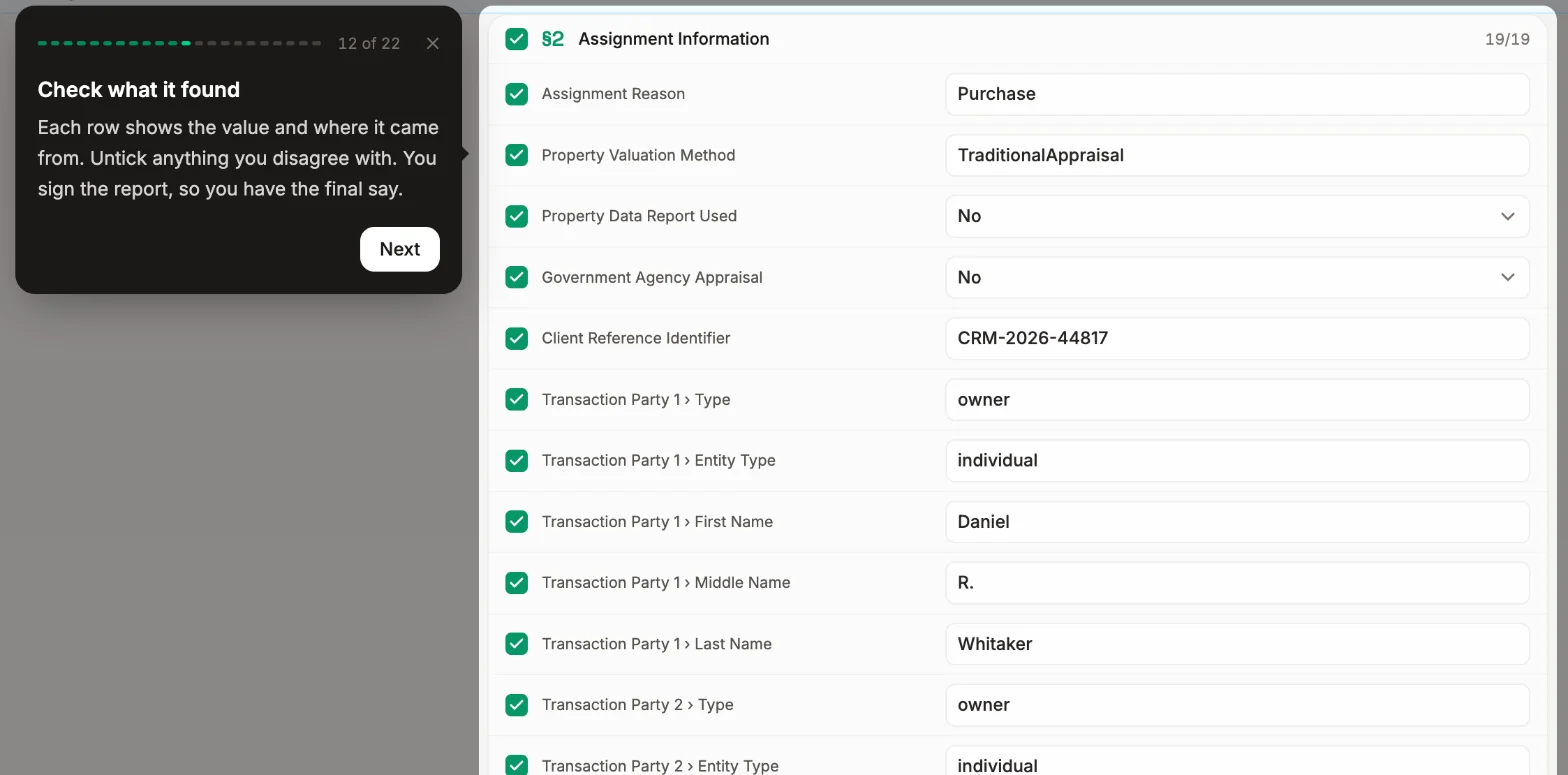
- Does every value show its source, so you can check it?
- Is anything written into the report without your approval?
- For adjustments, can you see how a rate was calculated: the sales used, the sample size, how well it fits?
The value opinion, the reconciliation and the signature should always stay yours.
8. Support during the switch
- Can you reach a real person, and how fast do they answer?
- Is there written documentation or are there in-app guides, not just recorded webinars?
- Is there a free trial long enough to finish a real report?
A low-risk way to switch
- Run one real order on both systems. Finish it in the new software, then compare the PDF with what your old software would have produced.
- Set up before a busy week. Templates, your standard comments and your company details take time the first time around.
- Take it to an actual inspection. A phone workflow that looks fine at your desk can feel different in a crawlspace.
- Keep the old software until your workfiles are covered. Don't cancel before you know how you'll get to past reports.
Where Appraisio fits
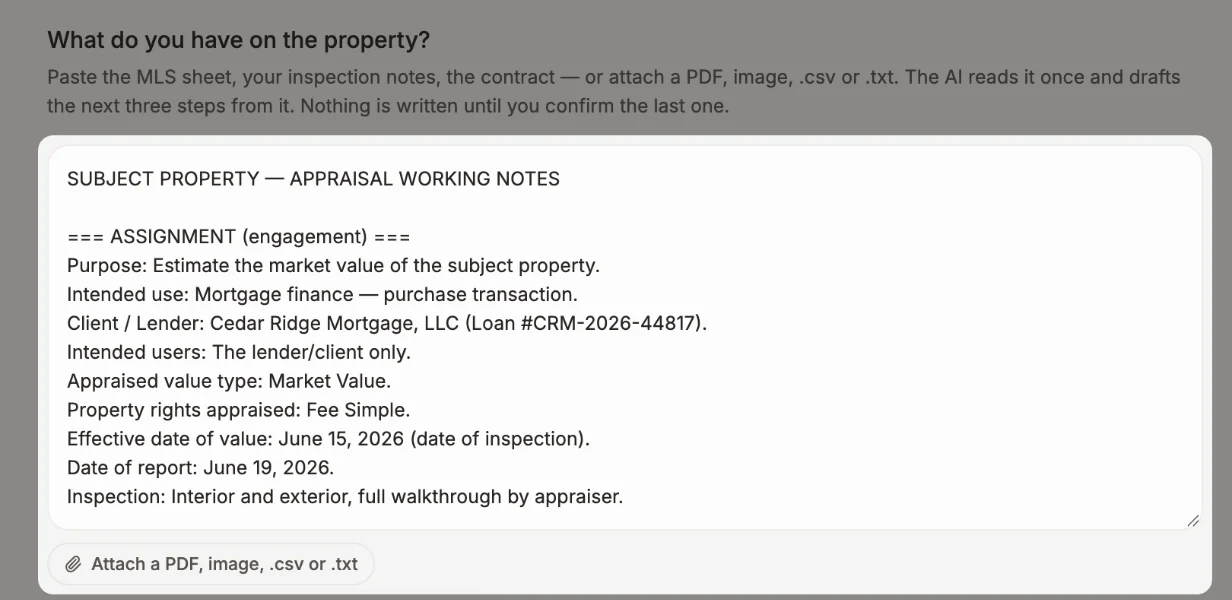
We built Appraisio for UAD 3.6 from the start. The whole report runs on iPhone and iPad and works offline. LiDAR scans become an editable sketch. Comps and market data import from your MLS export. AI fills fields from your documents and notes, shows its sources and waits for your approval. Every XML export is checked against the schema.
If that sounds like what you're looking for, start a 14-day free trial. No card required, and you can run a real order through it before you decide. Questions about switching? Email support@appraisio.ai.